We've Got AI at Home

Your Guide to Cloud-Free AI Innovation

Dylan Goldblatt, Ph.D.

AI Strategist & Applied Researcher

Kennesaw State University

Email: ngoldbla@kennesaw.edu

Website: ndgold.com

Slides: cultivate-ai.vercel.app

John pays $20 per month for AI. He uses it 10 times per month. He pays $2 per conversation.

Jane runs AI locally. She uses it 500 times a month, almost for everything. She pays nothing per conversation.

Today's Journey

  1. Understanding the AI machine
  2. Tokens: The hidden currency
  3. Why local AI wins for rural communities
  4. Getting started in 5 minutes
  5. Mobile AI in your pocket
  6. Advanced economics: Beat the subscription trap
  7. Building resilience for outages

Understanding the Machine

What IS a Large Language Model?

LLMs Are Just Math

  • Billions of numbers (parameters) stored in a file
  • Like a massive recipe book of language patterns
  • Trained once (expensive), used forever (cheap)
  • The file can run anywhere with enough memory

The Great AI Paradox

AI is simultaneously:

  • Getting more expensive (subscriptions rising)
  • Getting cheaper (models improving, hardware advancing)
  • Becoming essential (like electricity)
  • Becoming commoditized (like water)

Training vs. Inference: The Factory Analogy

Tokens: The Currency of AI

Understanding What You're Really Paying For

What's a Token?

  • Roughly 3/4 of a word
  • "The quick brown fox" = ~4 tokens
  • This slide = ~50 tokens
  • A page of text = ~500 tokens
  • Your question + AI's answer = total tokens charged

The Subscription Trap

ChatGPT Plus: $20/month

  • Average user: 50,000 tokens/month
  • Actual API cost: $1.50
  • Most people are overpaying by >1200%

API Pricing Reality

OpenAI GPT-4o-mini API:

  • Input: $0.00015 per 1,000 tokens

  • Output: $0.0006 per 1,000 tokens

  • ChatGPT Plus cost: $20.00

  • Local AI cost: $0.00

Advanced daily tasks:

  • Surplus crop economic modeling: ~4,000 tokens
  • Precision agriculture data interpretation: ~6,000 tokens
  • Regulatory compliance analysis (EPA/USDA): ~8,000 tokens
  • Soil restoration strategy development: ~5,000 tokens
  • Integrated pest management planning: ~7,000 tokens
  • Carbon credit documentation: ~3,000 tokens
  • Supply chain optimization: ~4,500 tokens

Token Economics for AI

Monthly API cost: <$0.10

Monthly subscription cost: $20.00

Monthly local AI cost: $0.00

Annual local savings: $180.00

Why Local AI Matters

Especially When You're Far From Silicon Valley

Key Benefits

  • Privacy & data security
  • Independence from connectivity
  • Low latency, high speed
  • Control over updates and usage
  • Personalization without sharing data

When Networks Fail, Local Prevails

Rural connectivity reality:

  • 39% of rural Americans lack high-speed internet
  • Average power outage: 5+ hours annually
  • Weather events increasing in frequency
  • Infrastructure aging faster than replacement
  • Distance from cell towers = weak signals
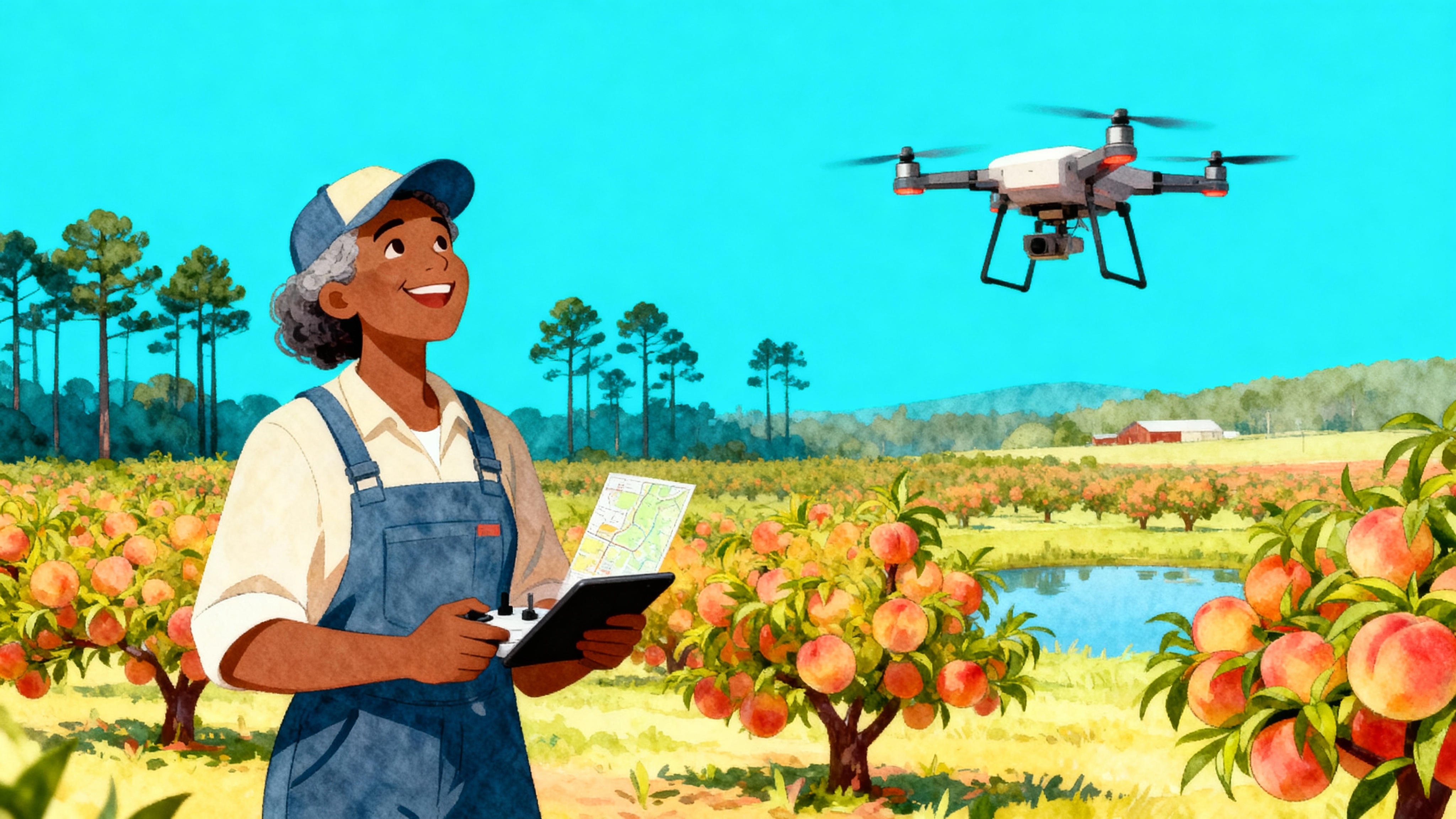
Privacy & Security

  • Your input data never leaves your device
  • No one else can access, store, or analyze it
  • No server logs of your queries exist
  • No training on your proprietary information

Learning by Doing: The Scrappy Advantage

Running your own AI teaches you:

  • What models actually do (not just marketing hype)
  • How to optimize for your specific needs
  • When to use which tool for different tasks
  • How to protect and control your data

"Give someone an AI subscription, help them for a day.

Teach someone to run AI locally, help them forever."

Speed & Control

  • Fast responses (no network latency)
  • Full control over model versions
  • No surprise interface or functionality changes
  • You decide when to update—or not

Selecting Your AI Models

Right-Sizing Technology for Your Reality

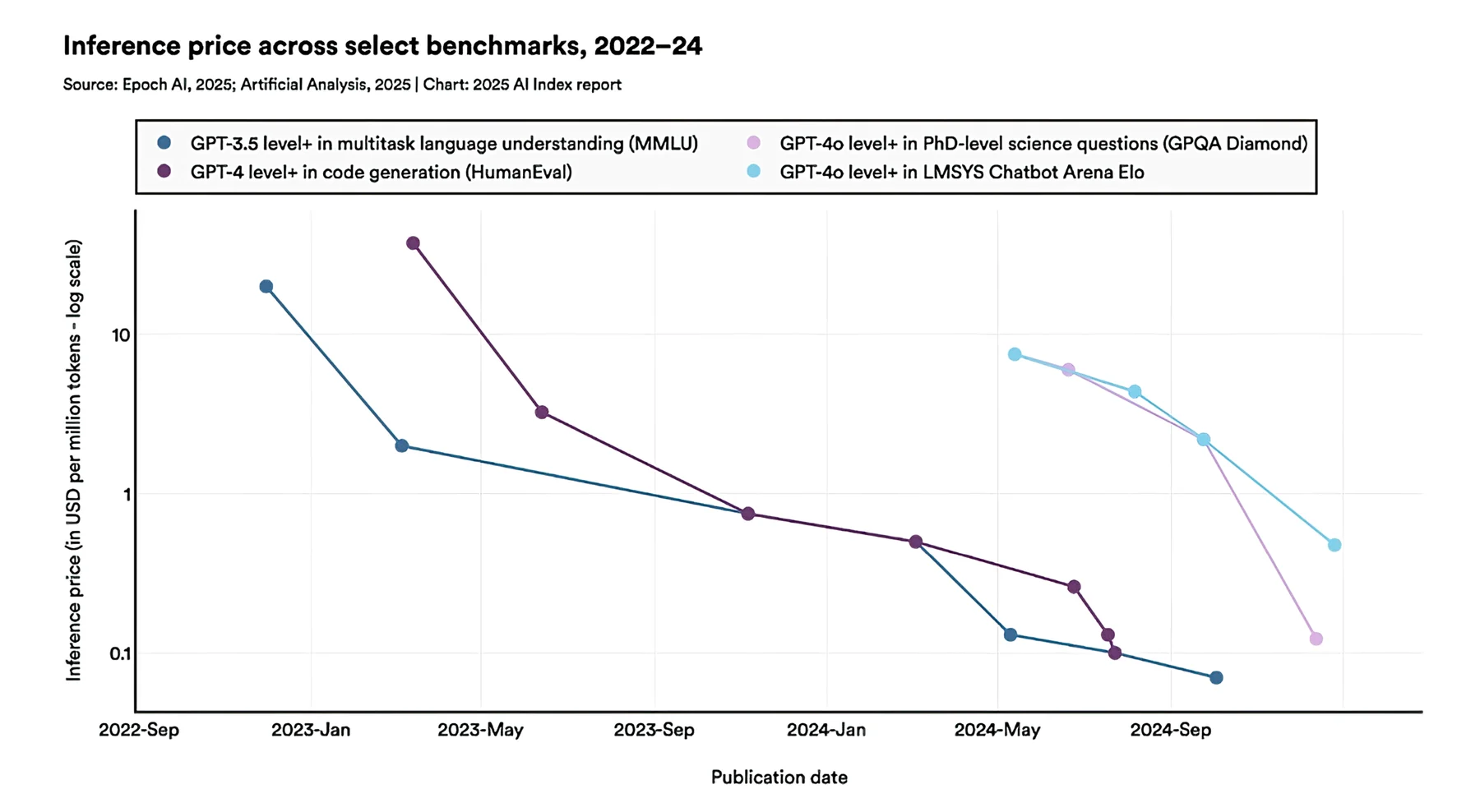
The Depreciation of Tokens

Choosing the Right Model

  • Find a model that suits your hardware
  • Match a model to your needs
  • Use quantization to adjust for both

Recommended Models

Gemma (Google)

  • Perfect for limited hardware (2-7B parameters)
  • Good balance of capabilities and efficiency
  • Strong multilingual support
  • Ideal for translation tasks

Llama (Meta)

  • Generous context windows (up to 128k tokens)
  • Excellent size-quality balance (3B-70B)
  • Industry standard for local deployment
  • Best choice for complex reasoning

Mistral

  • Efficient European model (7B-24B parameters)
  • Strong coding abilities
  • Good for technical documentation
  • Balanced approach to capabilities

OpenAI

  • Efficient model (20B and 120B parameters)
  • 9 months behind the state of the art
  • Requires costlier computer
  • Balanced approach to capabilities

Hardware Reality Check

Smartphone (4-8GB):

  • 1-3B models work well
  • Small Gemma variants
  • Great for quick questions

Laptop (8-16GB):

  • 7B models run smoothly
  • Llama 3.2, Mistral 7B
  • Handle most daily tasks

Desktop GPUs:

  • OpenAI Open Source models
  • Multiple models
  • Advanced workflows possible

Your First Offline AI in 5 Minutes

Desktop: Choose Your Fighter

Speed Demon: Ollama

  • 2-minute install
  • Command-line power
  • Lowest resource usage
  • Huge model library

Swiss Army Knife: Witsy

  • Visual interface
  • Local + cloud hybrid
  • Document search built-in
  • Universal MCP client

Live Demo: Ollama Setup

From Zero to AI in 120 Seconds

Mac Setup:

  1. Visit ollama.ai in your web browser
  2. Download the Mac installer (.pkg file)
  3. Double-click to install (30 seconds)
  4. Ollama runs automatically and provides a web interface
  5. Download models through the user-friendly interface

PC Setup:

  1. Visit ollama.ai in your web browser
  2. Download and run installer (30 seconds)
  3. Ollama runs automatically in the background
  4. Use through web interface or desktop apps

Ollama: The Speed Champion

Cross-platform: macOS, Windows, Linux

Built-in model library with simple downloads

Completely offline operation after setup

Web interface and desktop app compatibility

Powered by llama.cpp for maximum efficiency

Ollama in Action: Agricultural Intelligence

Real Farm Problems, Real Solutions

Witsy: The Swiss Army Knife

Universal client works with ANY model

Bring Your Own Keys (BYOK) approach

Document repository connections

Voice interaction capabilities

Image generation

https://github.com/nbonamy/witsy

Witsy Key Features

Chat Interface: Conversational interactions

Scratchpad: Build content with AI assistance
Documents: Search your local files and PDFs

Voice Support: Dictation and voice responses

Customizable: Shortcuts and workflows adapt to you

Jan: The Friendly Alternative

Fully open-source (AGPL licensed)

Visual model management interface

Multiple backends

Built-in RAG for documents

Local API server capabilities

Your Phone Is Already an AI Computer

You Just Need to Turn It On

Mobile: AI in Your Pocket

The most powerful AI computer you own might be in your pocket right now.

Modern smartphones have:

  • 8-16GB unified memory
  • Powerful AI-optimized chips
  • All-day battery life
  • Always with you in the field

Why not put that power to work?

iOS: LocallyAI - The iPhone Power User's Choice

  • Free download from App Store (https://locallyai.app)
  • Apple Foundation models included
  • Llama, Gemma, Qwen models supported
  • "Hey, Locally AI" Siri integration
  • 100% offline operation after setup
  • Works on iPhone 12 and newer

LocallyAI in Action

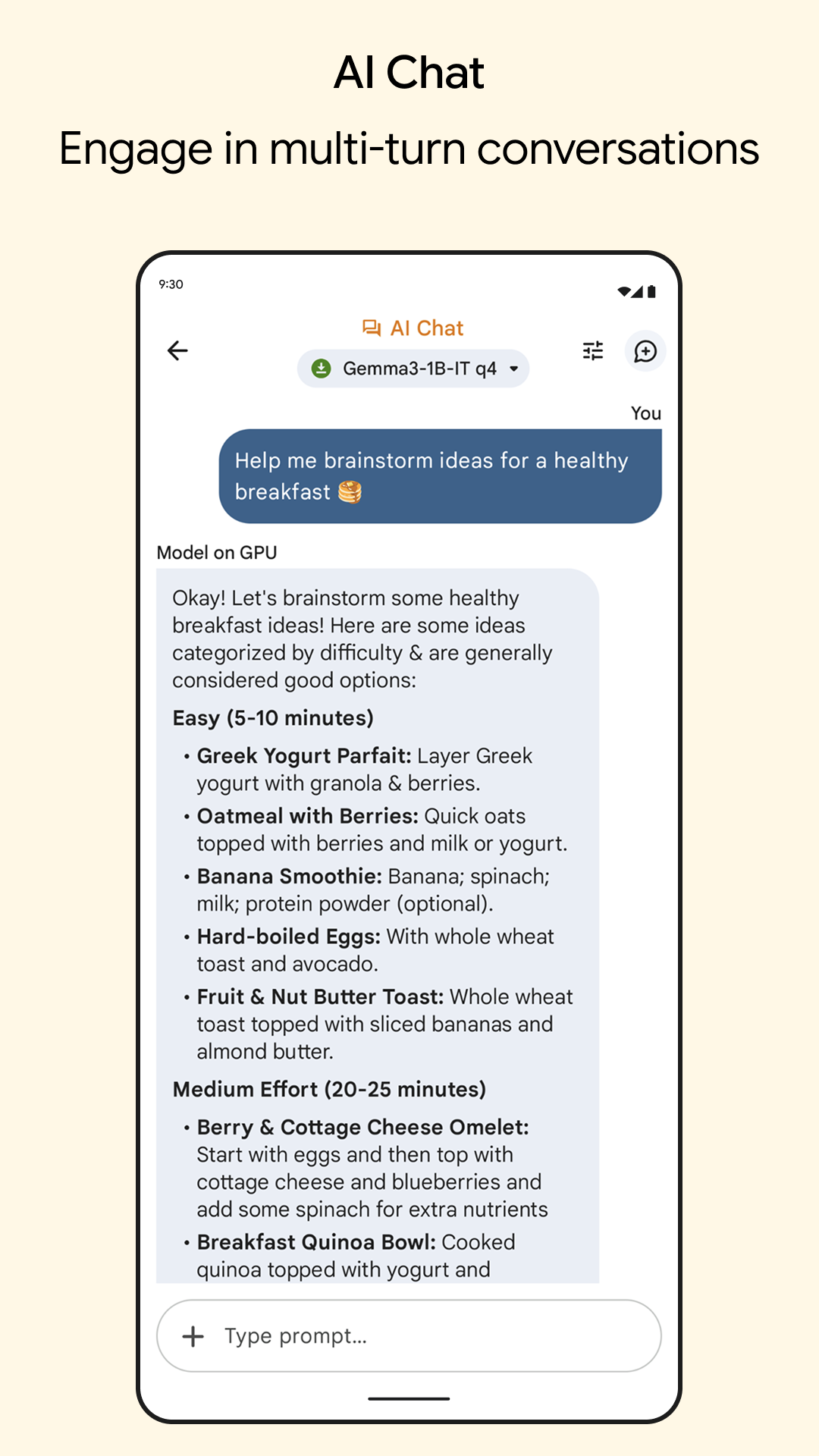
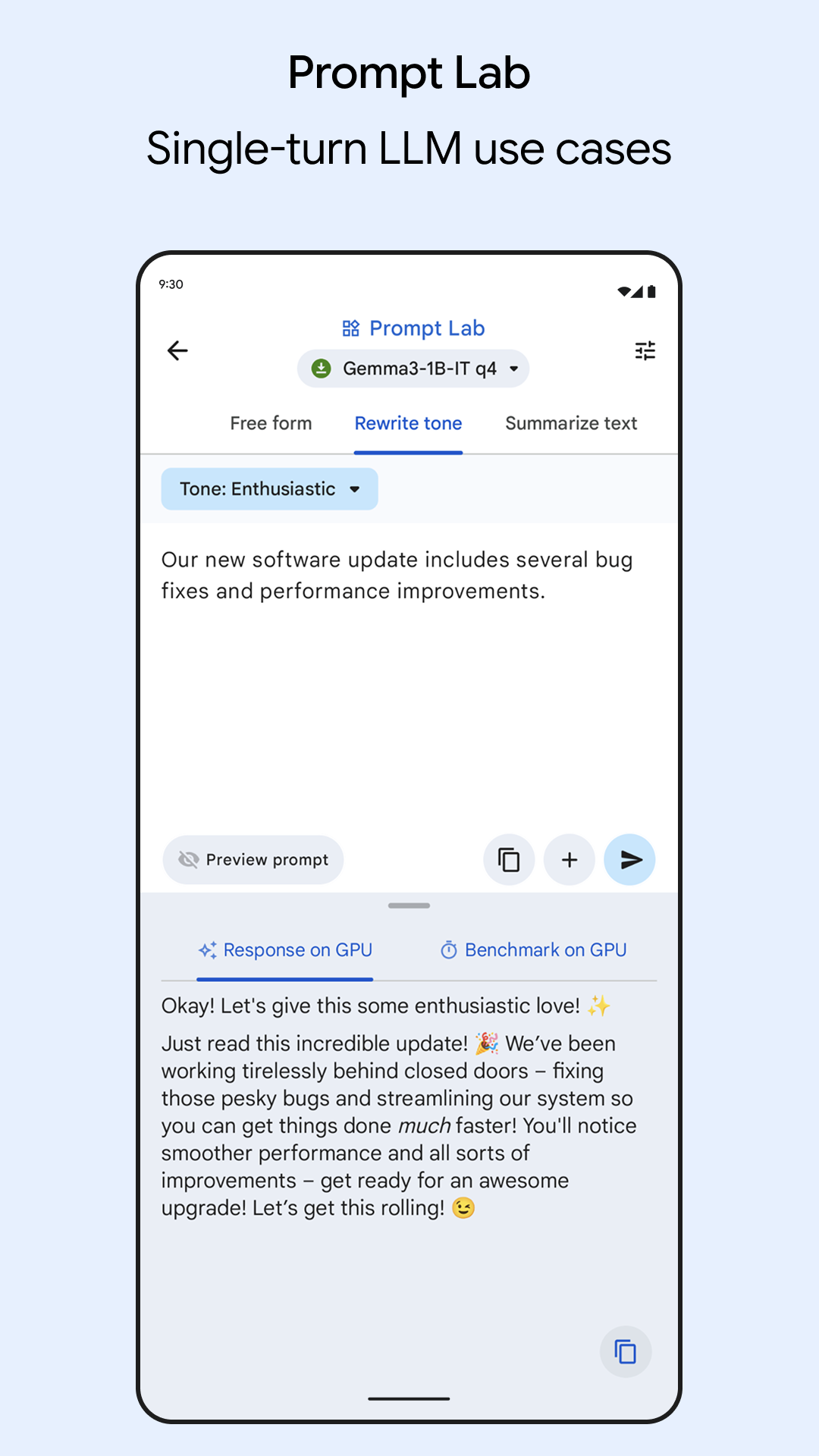
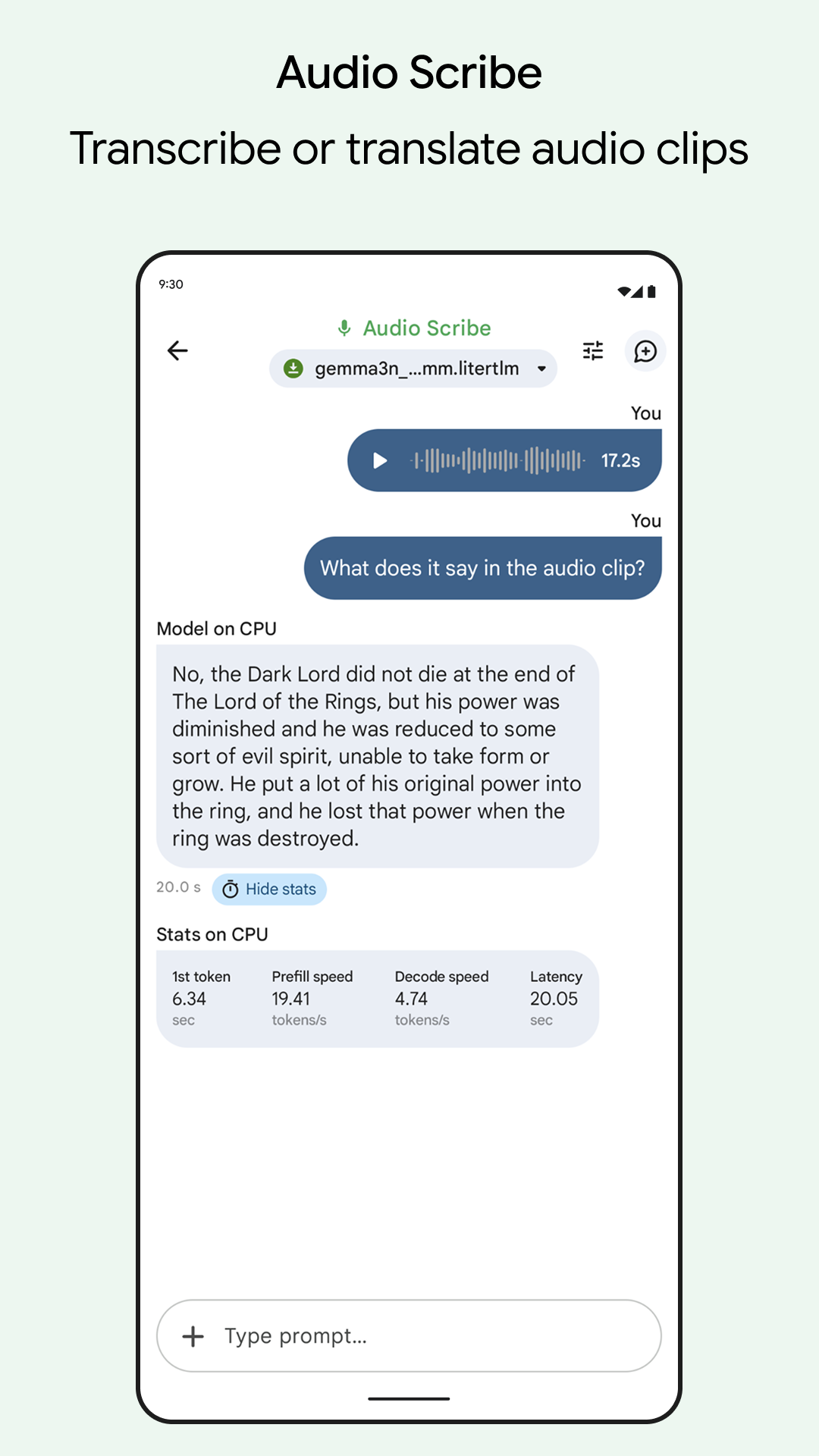
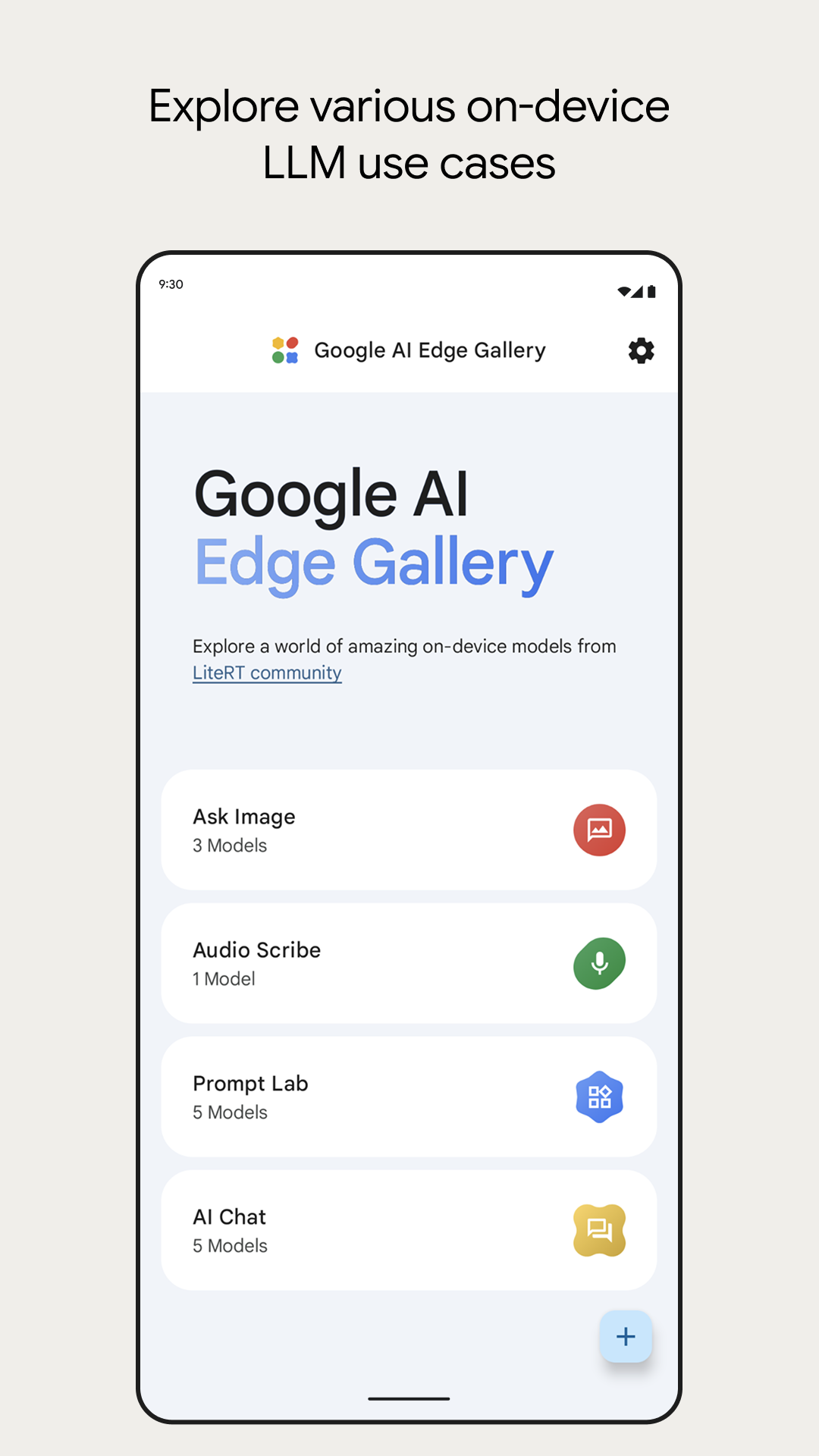
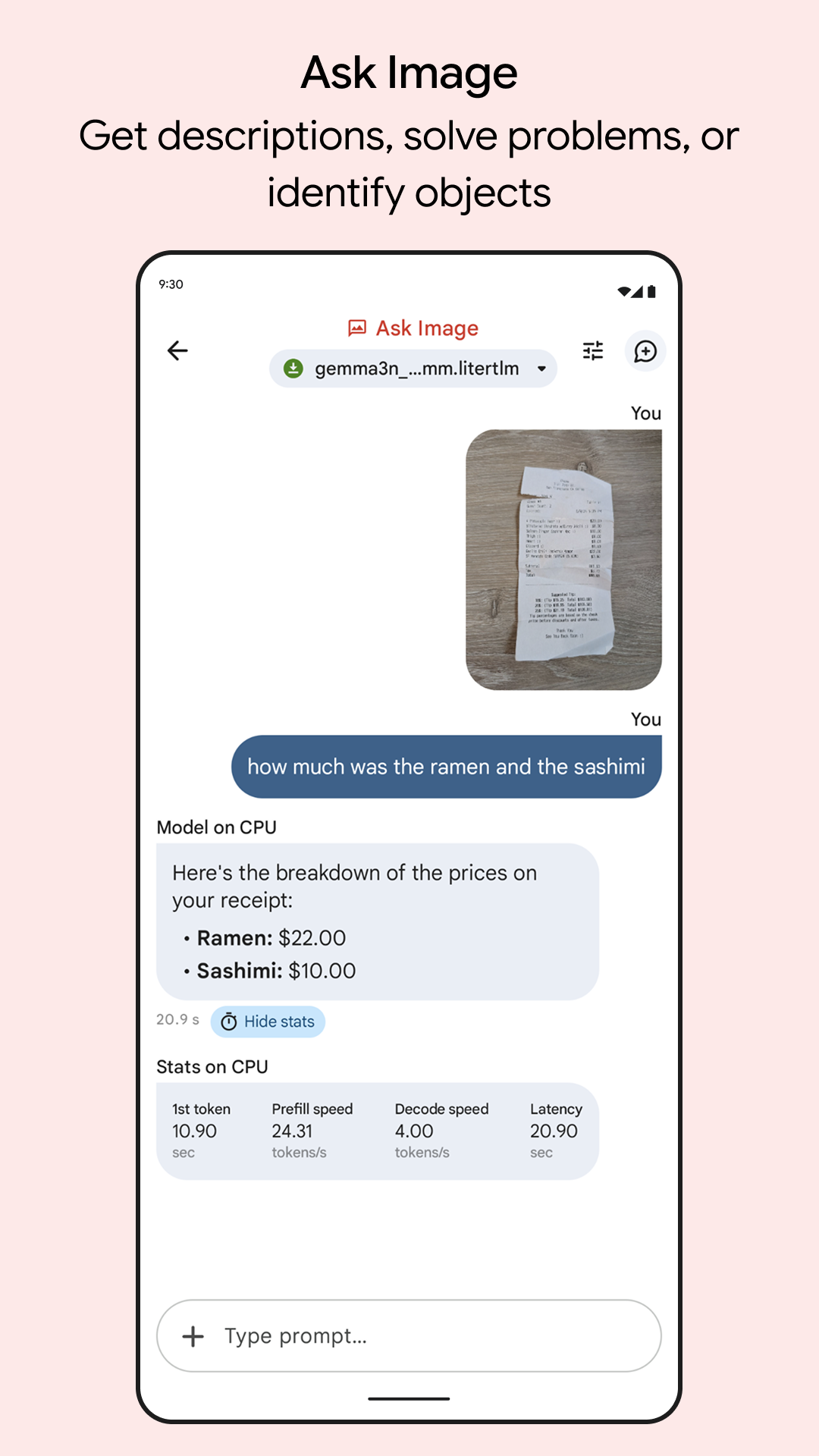
Android: Google AI Edge Gallery

  • Free download from Google Play Store
  • https://github.com/google-ai-edge/gallery
  • Multiple Gemma models included
  • Prompt Lab for experimentation
  • Audio understanding capabilities
  • Zero data sent to servers
  • Works on Pixel 8, Samsung S23, or newer

Google AI Edge Gallery

Google AI Edge Gallery
Any Device: Assistant.sh

  • No installation required (web-based)
  • https://assistant.sh
  • Works as Progressive Web App
  • All data stored locally in browser
  • Compatible with 5+ year old devices
  • Optional API keys = prepaid minutes
  • Works on phones, tablets, old computers

Assistant.sh

The Every-Device Solution

Mobile AI Privacy Benefits

When you use mobile AI apps:

  • Photos never leave your device
  • Voice recordings processed locally
  • Chat history stored on-device only
  • No server logs or data collection
  • Works in airplane mode
  • No subscription tracking

The Prepaid Phone Model for AI

API Keys = Buying AI Minutes

  • Pay only for what you use
  • No monthly commitment
  • Often 95% cheaper than subscriptions
  • Mix providers for best prices
  • Control your spending precisely

OpenRouter: The Costco of AI

Access 100+ models with one account

Price comparison shopping across providers

Often cheaper than going direct to companies

Pay in small increments ($5-25)

Use different models for different tasks

The Decision Tree: Where to Start

A newer iPhone (12+):

→ Start with LocallyAI + Assistant.sh backup

→ Focus on mobile-first workflow

A modern Android (Pixel 8+, S23+):
→ Start with Google AI Edge Gallery + Assistant.sh

→ Emphasize on-device capabilities

A decent laptop (8GB+ RAM):

→ Start with Ollama

→ Desktop-focused workflow

The Bottom Line

Why Rent When You Can Own?

What You'll Save by Owning AI

Money: hundreds of dollars saved annually per user

Time: No waiting for internet connectivity
Privacy: Your sensitive data stays yours

Knowledge: Deep understanding of AI capabilities

Independence: No company controls your AI access

Reliability: Works during outages and emergencies

Desktop Applications:

  • Ollama: ollama.ai
  • Witsy: github.com/nbonamy/witsy
  • Jan: jan.ai

Mobile Applications:

  • LocallyAI (iOS): locallyai.app
  • Google AI Edge Gallery (Android): Google Play Store
  • Assistant.sh (Any Browser): assistant.sh

AI Office Hours & Consultation

  • Every Friday, 11:30-12:30 PM EST
  • Virtual, Phone, or In-Person
  • Free help with AI setup, troubleshooting, optimization

Thank you!

Dylan Goldblatt, Ph.D.

AI Strategist & Applied Researcher

Kennesaw State University

Email: ngoldbla@kennesaw.edu

Website: ndgold.com

Slides: cultivate-ai.vercel.app